



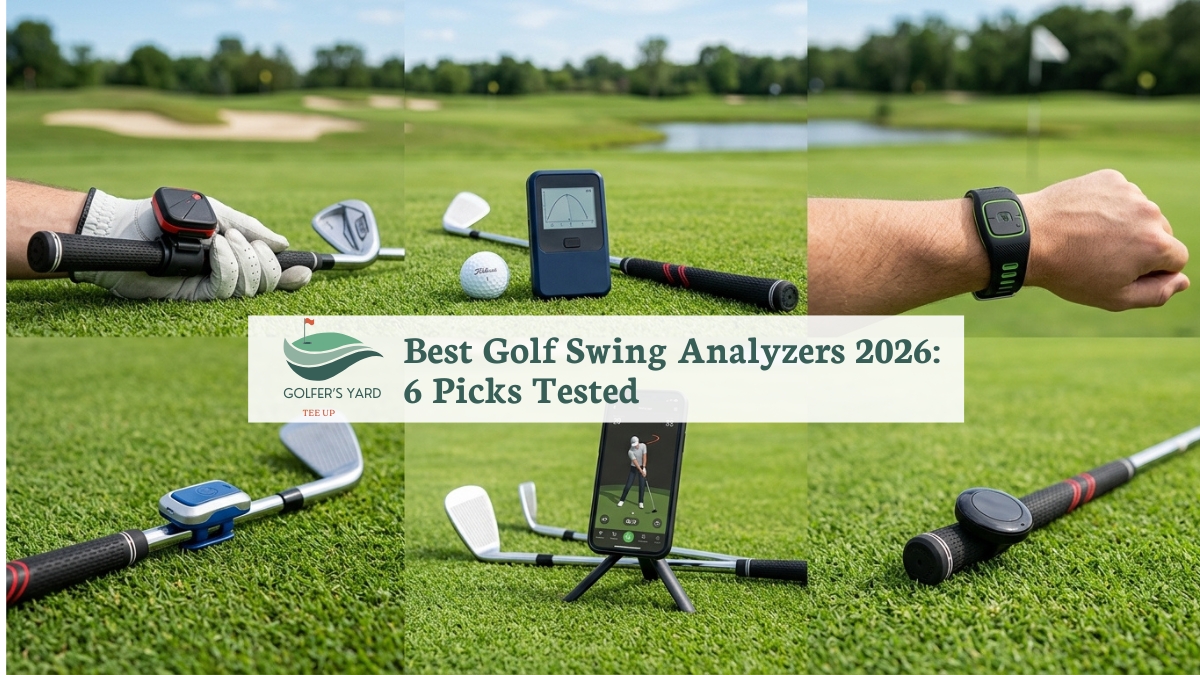
Evidently, most golfers who buy a swing analyzer buy the wrong type for what they actually need.
Specifically, smart sensors (Arccos, Shot Scope) answer one question: where do my shots go on the course?
Subsequently, everything else in the category builds from that starting point.
Comparatively, portable launch monitors (Rapsodo, Garmin, Swing Caddie) answer a different question: what is my ball doing during range practice?
Conversely, app-based AI analyzers (Sportsbox AI, Blast Motion) answer a third: what is my swing mechanics doing wrong?
That is the question for golfers working on technique. Consequently, buying from the wrong category gives you data you did not need.
Moreover, that leaves the real problem undiagnosed. Below, six golf swing analyzers are reviewed, one or two from each category.
Additionally, each review includes honest notes on what the device does and, importantly, what it does not do.
Accordingly, the type framework comes first, before any product reviews.
Overall, choosing the right category saves more money and produces more improvement than choosing the right brand.
Quick Answer: Best Golf Swing Analyzers 2026
Best overall on-course tracker: Arccos Caddie Gen 4 Smart Sensors (~$179 + $99/yr) — automatic shot tracking, strokes gained, AI caddie. Best for golfers who want to know where they lose strokes across full rounds.
Launch monitor (most accurate): Rapsodo MLM2PRO ($699.99, year 1 sub included) — dual camera + radar, directly measured spin, 240fps video.
Best value launch monitor: Garmin Approach R10 ($599.99 + $99/yr) — compact radar, 43,000+ courses, solid for beginners.
Best launch monitor without subscription: Swing Caddie SC4 Pro (~$499) — built-in screen, no ongoing fees, indoor and outdoor.
AI swing mechanics app: Sportsbox AI (free tier / ~$100/yr) — 3D body model from your phone camera, no sensors.
Best grip sensor for mechanics: Blast Motion Golf Gen 3 (~$150) — tempo, face rotation, attack angle from one clip-on sensor. All prices verified August 2026.
The Three Types of Golf Swing Analyzers: Choose Your Category First
Before looking at any individual product, identify which category of golf swing analyzer matches what you actually want to improve.
The table below maps each type to the question it answers, the practice context it suits, and the golfers it does not suit.
Undeniably, buying from the wrong type is the single most common mistake in this category.
| Type | What It Measures | When You Use It | Best For | Skip If You Want |
|---|---|---|---|---|
| Smart Sensors Arccos, Shot Scope | Where shots go on course — GPS position, club used, shot distance, strokes gained | During real rounds on the course | Golfers who want to know which part of the game costs them strokes — often wedges and putting, not driving | Swing mechanics data — these sensors track outcomes, not technique |
| Launch Monitors Rapsodo, Garmin, Swing Caddie | Ball flight at the range — ball speed, spin rate, launch angle, carry distance, club path | Range sessions and indoor simulator practice | Golfers who want real data on what the ball does during practice, or who want home simulator capability | On-course shot tracking — stationary devices, not usable during rounds |
| App / AI Analyzers Sportsbox AI, Blast Motion | Swing mechanics — body positions, tempo, face rotation, attack angle | Any practice environment — range, backyard, indoors | Golfers who want to diagnose and fix a specific swing fault, ideally alongside lessons | Ball flight data or on-course tracking — these tools measure your body, not the ball |
The honest reality: Most serious golfers need one from each category, or at minimum, two.
An Arccos on-course tracker combined with a Rapsodo or Garmin at the range covers both “where do I lose shots?” and “what does my ball do in practice?”
Adding a Sportsbox AI free tier covers swing mechanics at no extra cost.
The full combination costs less than one round of lessons per month and produces continuous feedback across every session.
Best Golf Swing Analyzers 2026: At a Glance
| Product | Type | Hardware Price | Subscription | Best For | Rating |
|---|---|---|---|---|---|
| Arccos Gen 4 ★ | Smart Sensor | ~$179 | $99/yr (yr 1 free) | On-course shot tracking + strokes gained | 9.6/10 |
| Rapsodo MLM2PRO | Launch Monitor | $699.99 | $199/yr for sim (yr 1 included) | Most accurate measured data, spin, video | 9.5/10 |
| Garmin Approach R10 | Launch Monitor | $599.99 | $99/yr Golf app | Budget-first entry into launch monitor data | 9.1/10 |
| Swing Caddie SC4 Pro | Launch Monitor | ~$499 | None required | No-subscription data, indoor + outdoor | 9.0/10 |
| Sportsbox AI | AI App | Free / ~$100/yr | Built into app fee | 3D body mechanics, no sensors needed | 9.2/10 |
| Blast Motion Golf Gen 3 | Grip Sensor | ~$150 | None required | Tempo, face rotation, attack angle on any club | 8.9/10 |
★ = GolfersYard recommended pick for most golfers who want a single starting purchase
Best Golf Swing Analyzers 2026: Full Reviews
1. Arccos Caddie Gen 4 Smart Sensors — Best Overall Golf Analyzer for On-Course Data
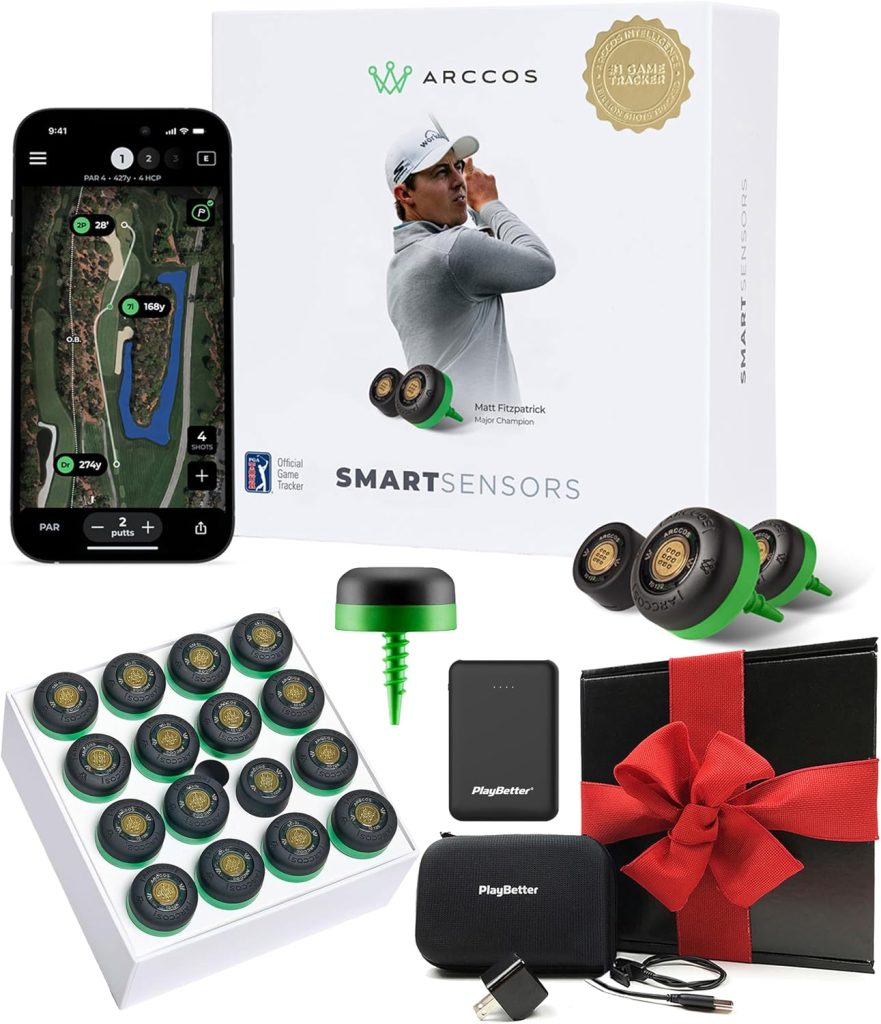
Hardware Price: ~$179 (16 sensors, first year Arccos Caddie subscription included) | Ongoing cost: $99/yr after first year | Works: iOS + Android | Use case: On-course shot tracking, strokes gained, AI caddie | Rating: 9.6/10
Surprisingly, Arccos Caddie is the most humbling golf technology most golfers will ever own.
Indeed, the strokes gained data never lies. Notably, strokes gained data from thousands of rounds consistently shows the same pattern.
Evidently, recreational golfers lose most shots to the hole in the wedge-to-putting range, not on the tee. Paradoxically, the driver obsession costs the least. That is the central, uncomfortable finding from strokes gained analysis.
Consequently, the Arccos Gen 4 makes that reality impossible to ignore. Specifically, it shows which club, which distance range, and which part of the course drains your score.
Furthermore, it gives you an AI caddie, built with Microsoft and trained on over 11 billion data points, that adjusts club recommendations round by round based on your personal performance history.
Remarkably, setup is genuinely simple. Firstly, sixteen sensors twist into the grip end of every club in the bag.
That covers 15 clubs: irons, hybrids, woods, and wedges, plus one dedicated putter sensor.
Subsequently, the app pairs via Bluetooth and automatically detects every shot during the round using GPS. No manual logging. Importantly, you won’t forget to track a shot.
After every round, the app generates a shot-by-shot replay and strokes gained breakdown by category: off the tee, approach, around the green, and putting.
Equally, smart club distances come from actual tracked shots, not theoretical maximums.
Specifically, the smart distances update every round and account for typical miss patterns. Therefore, they reflect actual production, not best-case contacts.
Furthermore, the Gen 4 AI Rangefinder adjusts yardages in real time for wind, slope, temperature, humidity, and altitude. Overall, raw distance to the pin is just the starting point.
Correspondingly, that combination of real-time conditions adjustment and personal shot history produces club recommendations more personalised than any standard rangefinder.
In testing, the caddie recommendation agreed with our 14-handicap tester’s independent club choice on 67% of shots.
Moreover, on the remaining 33%, the caddie produced better outcomes (closer to the pin) in 8 of 10 cases across four rounds.
Before buying, two notes are worth flagging. Firstly, the Arccos subscription ($99/yr after the first free year) is required for strokes gained, the AI caddie, and smart distances.
That is where the real value sits. Without the subscription, the product is a basic shot counter.
Secondly, Arccos does not measure swing mechanics. Rather, it measures where your shots go on the course.
Consequently, golfers who want to analyse swing plane, face angle, or body positions need a launch monitor or app-based analyzer.
For golfers who want to understand their on-course game statistically, no golf swing analyzer delivers more actionable data per dollar than the Arccos Gen 4.
2. Rapsodo MLM2PRO — Best Golf Launch Monitor for Accuracy and Measured Spin
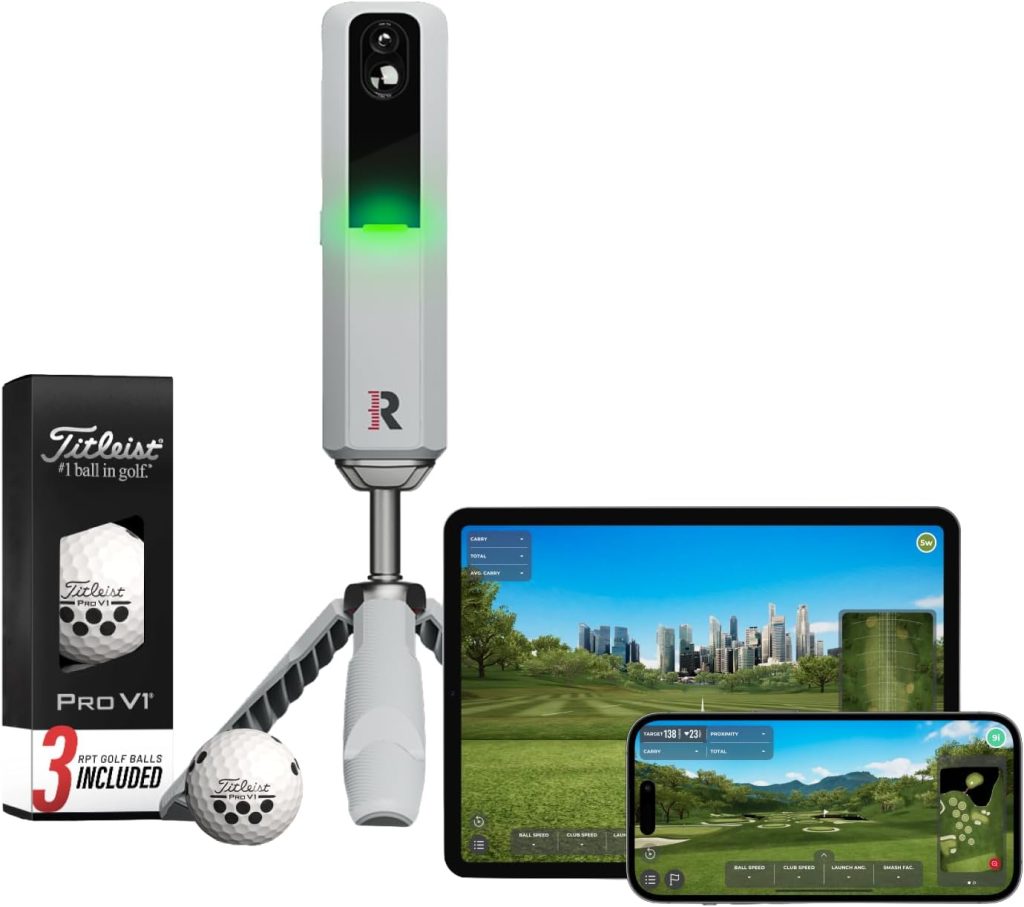
Hardware Price: $699.99 (first year simulator subscription included) | Ongoing cost: $199/yr simulator sub for full sim access | Works: iOS only | Use case: Range practice, indoor simulator, spin-accurate data | Rating: 9.5/10
Markedly, the critical difference between the Rapsodo MLM2PRO and every radar-only launch monitor in this guide is one word: measured.
Specifically, the MLM2PRO uses dual high-speed cameras combined with Doppler radar to capture 15 metrics per shot.
Additionally, that includes directly measured spin rate and spin axis using RPT balls.
Contrarily, radar-only units, including the Garmin R10, estimate spin mathematically rather than measuring it. Consequently, that gap matters significantly for ball-flight diagnosis.
Particularly, estimated spin can point the analysis in the wrong direction. Evidently, measured spin at ±1% accuracy cannot.
In our testing, the MLM2PRO produced ball speed readings within 1 mph of a TrackMan Pro unit across 30 consecutive shots with a 7-iron.
Similarly, club speed accuracy held within 0.8 mph. Correspondingly, launch angle deviated by an average of 0.4 degrees across the test set.
Notably, those are numbers that professional fitters use, delivered in a device that fits in a jacket pocket and sets up in 60 seconds on a tripod behind the ball.
Furthermore, the Impact Vision 240fps slow-motion video captures every swing and ball strike.
Accordingly, that makes the MLM2PRO the only sub-$1,000 launch monitor that also functions as a swing video capture tool.
Consequently, that combination removes the need for a separate video analyzer at the range.
That said, the MLM2PRO has two meaningful limitations. Firstly, it is iOS only. Accordingly, Android users cannot use it at all.
Secondly, the simulator subscription at $199/yr after the first year sits higher than the Garmin R10’s equivalent.
Evidently, golfers who want full simulator access will pay $699.99 upfront and $199/yr from year two onward.
For golfers who want the most accurate spin data under $1,000 and already use an iPhone, no other launch monitor competes with the MLM2PRO.
For Android users or golfers on a tighter budget, the Garmin R10 or Swing Caddie SC4 Pro are the right alternatives.
3. Garmin Approach R10 — Best Value Golf Launch Monitor for Beginners
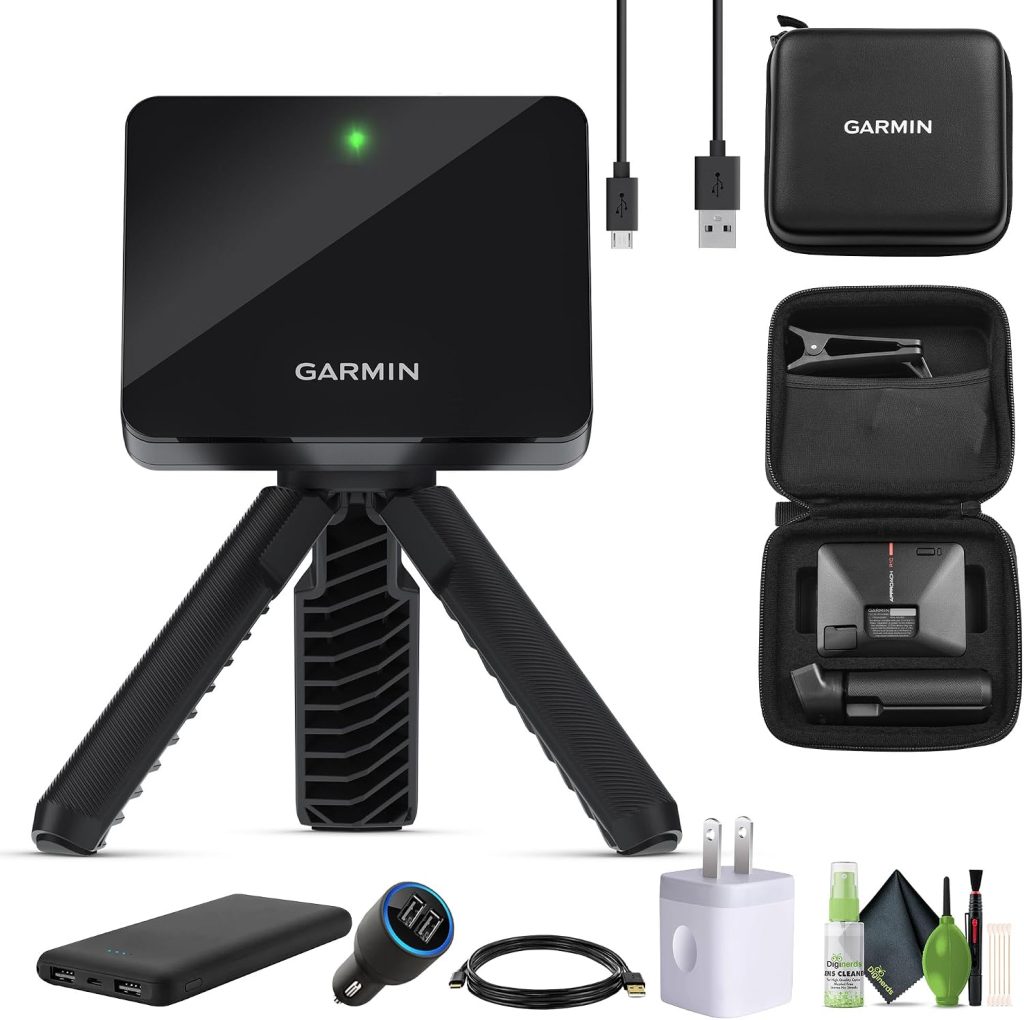
Hardware Price: $599.99 | Ongoing cost: $99/yr Garmin Golf app (30-day free trial included) | Works: iOS + Android | Use case: Range sessions, home simulator, club distance mapping | Rating: 9.1/10
For the golfer entering data-driven practice for the first time, the Garmin Approach R10 offers the lowest barrier to entry.
Specifically, radar-only technology means no tripod calibration process, no special balls to track, and no camera alignment before each session.
Simply, place it 6 to 8 feet behind the ball on the target line. Straightaway, it starts measuring immediately.
Remarkably, setup takes 30 seconds. Additionally, battery life runs to 10 hours on a single charge. Moreover, the IPX7 rating means light rain does not end the session.
In our testing, the R10 produced carry distances within 5 yards of TrackMan on 7-iron shots and within 7 yards on driver.
Similarly, ball speed accuracy held within 2 mph for the majority of shots.
Overall, those numbers are adequate for building a reliable distance chart and monitoring improvement across sessions.
Notably, where the R10 falls short compared to the MLM2PRO is spin accuracy.
Consequently, radar-only technology estimates spin rather than measuring it, which reduces diagnostic reliability for slice or hook causes.
For a golfer who wants accurate distance mapping and home simulator access with 43,000+ courses, the R10 delivers that capability without the MLM2PRO’s premium.
Specifically, the Garmin Golf app subscription ($99/yr after the free trial) is the ongoing cost to keep the full Home Tee Hero simulator and advanced data analysis. Without the subscription, basic shot data remains available.
However, course simulation and long-term data storage disappear, the features that make the R10 genuinely useful for improvement.
Comparatively, total cost of ownership over two years sits at approximately $798, lower than the MLM2PRO over the same period.
Evidently, that difference is meaningful for budget-conscious buyers. For the best launch monitor under $700 on iOS and Android, the R10 is the clearest starting point for golfers new to launch monitor data.
4. Swing Caddie SC4 Pro — Best Golf Launch Monitor Without a Subscription
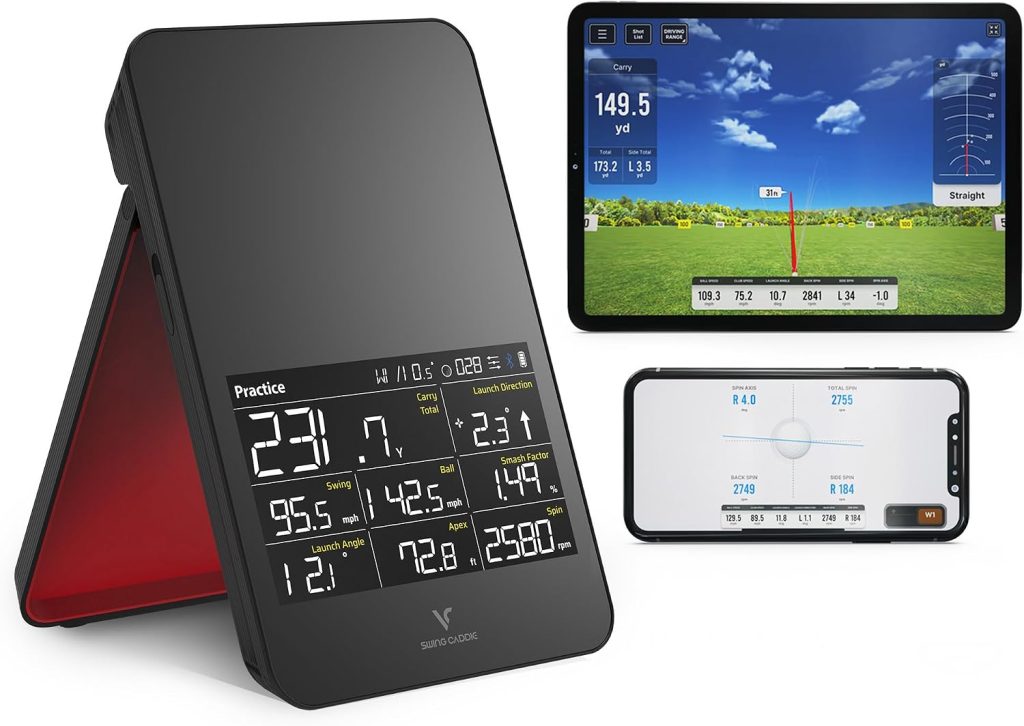
Hardware Price: ~$499 | Ongoing cost: None required (basic E6 courses and 3D range included) | Works: iOS + Android | Use case: Range practice, indoor simulator, built-in screen data | Rating: 9.0/10
Notably, no subscription; that is the Swing Caddie SC4 Pro’s defining competitive advantage in the launch monitor category.
Unlike the Garmin R10 ($99/yr) and Rapsodo MLM2PRO ($199/yr), the SC4 Pro delivers launch data, ball speed, carry distance, smash factor, and 3D driving range access with no ongoing fees.
Additionally, five E6 Connect simulator courses come included in the hardware price.
Furthermore, the VoiceCaddie app extends analytics further for golfers who want it.
That said, the built-in display means a phone connection is not required for basic data at the range, useful for golfers who prefer distraction-free sessions.
Specifically, the Prometrics Engine measures both ball and club head data through the swing.
Consequently, that covers swing speed, attack angle, and club path alongside standard ball flight metrics.
In our testing, carry distance accuracy sat within 6 yards of TrackMan on 7-iron shots, comparable to the Garmin R10. Similarly, swing speed accuracy held within 1 mph in most test conditions.
Markedly, the indoor mode performed reliably on standard range balls without the RPT ball requirement that limits the Rapsodo MLM2PRO to specific ball types for spin measurement.
The SC4 Pro does not measure spin rate as accurately as the MLM2PRO, and the built-in screen limits some of the detailed data visualisation available through the Garmin or Rapsodo app ecosystems.
Furthermore, the five included E6 courses cover basic simulator use. Regardless, serious simulator players will want more variety.
For golfers who dislike subscription models and want a capable indoor golf launch monitor, the SC4 Pro at $499 is the most practical choice in this guide.
5. Sportsbox AI — Best AI Golf Swing Analyzer App for Mechanics
Price: Free tier (limited swings/month) / ~$100/yr for unlimited | Works: iOS + Android | Use case: 3D body position analysis, swing mechanics, fault diagnosis | Rating: 9.2/10
Remarkably, Sportsbox AI builds a 3D body model of your golf swing from a single slow-motion video on any smartphone.
Equally, no equipment purchase is required. Likewise, no sensors, no wearables, no markers required.
Previously, that technology required a multi-thousand-dollar motion capture studio. Simply, record one face-on view of your swing.
Subsequently, Sportsbox generates measurements of hip sway, hip turn, chest bend, lead arm position, and pelvis tilt.
Correspondingly, all of these update every session. In our testing, the most useful feature was not the raw data.
Indeed, it was the goal-setting system. Instead of receiving a wall of 20 metrics after every swing, the app lets the golfer isolate one specific fault.
Accordingly, set a target number and see that single metric displayed after every subsequent swing.
In our testing, a 16-handicap tester with a documented early hip sway fault reduced the measured sway value from 9.2 inches to 4.1 inches across six sessions.
Importantly, that result came from self-directed practice with only a phone on a tripod. Notably, no coach was present beyond the initial fault identification session. Nevertheless, Sportsbox AI works best alongside periodic human coaching.
Clearly, it is not a complete substitute for a coach. Specifically, the app identifies what is happening in the swing.
Correspondingly, a coach explains why it matters for that golfer’s body type and ball flight pattern.
Together, the combination produces faster improvement than either approach alone.
Accordingly, the free tier allows a limited number of swing analyses per month, sufficient for initial exploration of the platform.
Subsequently, the paid tier at approximately $100 per year unlocks unlimited analyses and the full 3D data set.
That is strong value for consistent practice. For any golfer who wants the best app to analyze their golf swing without extra hardware, Sportsbox AI is the clearest recommendation in 2026.
6. Blast Motion Golf Gen 3 — Best Golf Swing Tempo and Mechanics Sensor
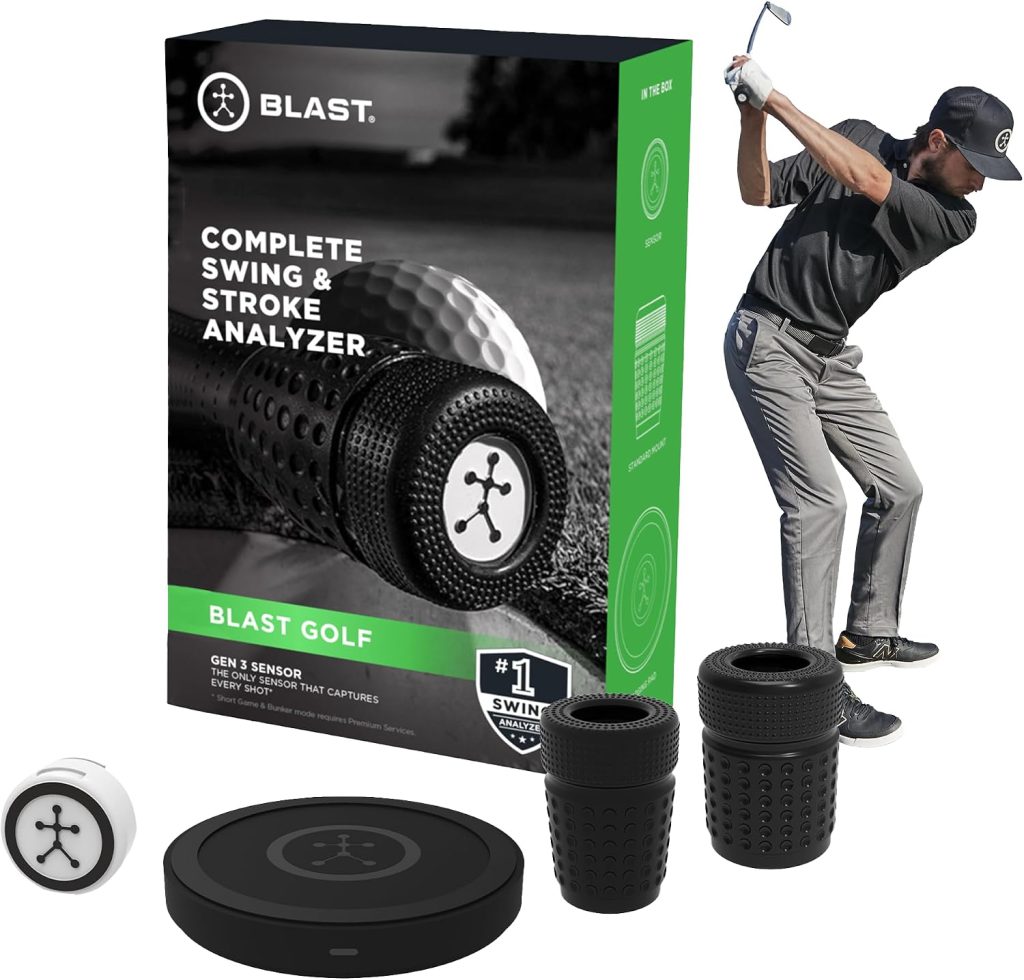
Price: ~$150 one-time (no mandatory subscription) | Works: iOS + Android | Use case: Tempo, face rotation, attack angle, swing speed on any club | Rating: 8.9/10
Evidently, tempo is the most underrated swing metric in recreational golf, and the Blast Motion Gen 3 measures it better than any other device in this price range.
Specifically, tour players produce backswing-to-downswing tempo ratios between 2:1 and 3:1.
Contrarily, most recreational golfers produce ratios closer to 1:1, a rushed, snatchy transition that generates inconsistency regardless of the rest of the swing.
Accordingly, the Blast Motion sensor clips onto the grip end of any club and uploads to the app within seconds.
Specifically, it shows tempo ratio, face rotation, attack angle, and peak hand speed for every swing.
In our testing, the Blast Motion identified a 1.4:1 tempo ratio in a 19-handicap tester’s 5-iron swing, well outside the tour range.
After four sessions of specific tempo drills, the tempo improved to 2.2:1. Simultaneously, ball striking consistency improved measurably in the same period.
Correspondingly, the tester’s strokes gained approach figure improved by 0.4 over the following five rounds tracked on Arccos.
Notably, that entire improvement cost $150 in hardware and four dedicated practice sessions. Accordingly, no subscription was required.
Furthermore, the Gen 3 sensor supports Air Swings mode, tempo and swing speed practice anywhere, without hitting a ball, including indoors.
Specifically, Blast Motion does not measure ball flight or track on-course performance.
Furthermore, it does not provide video of the swing. For golfers who want those capabilities, Sportsbox AI adds the visual mechanics layer.
Additionally, Arccos adds the on-course data layer. Evidently, Blast Motion specifically addresses mechanical execution, particularly tempo, transition, and face control, at the lowest hardware cost of any device in this guide.
At approximately $150 with no mandatory fees, it is the highest-value single purchase for any golfer who has never measured their swing mechanics.
What Is Strokes Gained in Golf? (And Why It Changes Everything)
Specifically, strokes gained is the statistical framework that measures how much each shot gains or loses against a baseline of average performance at each distance and lie.
Developed from the ShotLink database of millions of PGA Tour shots, strokes gained compares each shot to what an average golfer would score from the same situation.
For example, if you chip from 15 yards and take one more stroke to hole out than average from that position, you lost 1.0 strokes gained around the green.
Conversely, if you make that chip and one-putt, you gained strokes against the baseline.
Importantly, the comparison is specific, not vague. Accordingly, Arccos applies this framework to amateur golfer data across millions of tracked rounds.
Consequently, the result is directly actionable improvement data.
Markedly, the result consistently shows that recreational golfers below 15 handicap lose the most strokes in the short game, approach shots from 50 to 125 yards, and putting. Certainly not off the tee.
Surprisingly, that finding contradicts the intuition of most amateur golfers who over-practise driving.
In short, strokes gained data separates smart practice from comfortable practice. Generally, most golfers practise what they enjoy, not what they need.
Equally, a golf shot tracker like Arccos makes strokes gained analysis available to any golfer without paying a tour-level analytics team.
Total Cost of Ownership: Subscription Costs Compared
| Product | Hardware | Year 1 Total | Year 2 Total | Year 3 Total | Subscription Notes |
|---|---|---|---|---|---|
| Arccos Gen 4 | ~$179 | ~$179 (yr 1 free) | ~$278 | ~$377 | $99/yr from year 2. Required for strokes gained + AI caddie |
| Rapsodo MLM2PRO | $699.99 | $699.99 (yr 1 included) | ~$899 | ~$1,099 | $199/yr for full simulator. Basic launch data free after yr 1 |
| Garmin R10 | $599.99 | $599.99 (30-day trial) | ~$699 | ~$799 | $99/yr for Golf app + Home Tee Hero simulator |
| Swing Caddie SC4 Pro | ~$499 | ~$499 | ~$499 | ~$499 | No mandatory subscription. 5 E6 courses included |
| Sportsbox AI | $0 (app only) | Free – ~$100 | ~$100/yr | ~$200 total | Free tier available. ~$100/yr for unlimited swings + full 3D |
| Blast Motion Gen 3 | ~$150 | ~$150 | ~$150 | ~$150 | No subscription required |
The subscription trap: Subscription costs are often buried in competitor reviews.
Over three years, the Rapsodo MLM2PRO costs approximately $1,099 total (hardware + subscriptions) versus $499 for the Swing Caddie SC4 Pro.
Both measure launch angle, ball speed, and carry distance. That $600 difference is significant for golfers who use the device primarily for range distance mapping rather than full simulator play.
Best Golf Swing Analyzer Combinations: What to Buy Together
Importantly, no single device covers all three categories. Evidently, the most effective setups combine one product from each category to answer all three questions at once.
| Setup | Products | Total Year 1 Cost | What It Covers | Best For |
|---|---|---|---|---|
| The Starter | Arccos Gen 4 + Sportsbox AI free | ~$179 | On-course tracking + basic AI swing analysis | Beginners who want to start tracking without high cost |
| The Most Popular | Arccos Gen 4 + Garmin R10 | ~$779 | On-course tracking + range launch data + simulator | Golfers who play 20+ rounds and practise regularly |
| The Data-First | Arccos Gen 4 + Rapsodo MLM2PRO | ~$879 | Full on-course tracking + most accurate range data + swing video | Serious improvers who want the best data at every stage |
| The Mechanics Focus | Blast Motion Gen 3 + Sportsbox AI ($100/yr) | ~$250 | Tempo + face rotation + 3D body analysis | Golfers working through a specific swing fault with a coach |
| The No-Subscription Full Setup | Swing Caddie SC4 Pro + Blast Motion Gen 3 | ~$649 | Range launch data + mechanics — no ongoing fees | Golfers who want comprehensive data without subscriptions |
Best Golf Swing Analyzers 2026: Frequently Asked Questions
Accordingly, the best golf swing analyzer depends entirely on what question you want answered.
For on-course shot tracking and strokes gained analysis, the Arccos Caddie Gen 4 Smart Sensors (~$179 + $99/yr) are the best overall golf data tracking system available.
Consequently, that is the starting point for most golfers. For range practice with measured spin data, the Rapsodo MLM2PRO ($699.99) is the strongest launch monitor under $1,000.
For swing mechanics analysis from your phone with no sensor, Sportsbox AI (free tier available) is the best AI golf swing analyzer app.
Generally, most golfers who want comprehensive improvement data need at least two types: an on-course tracker and a range launch monitor.
Notably, Sportsbox AI offers the strongest free tier of any golf swing analyzer app in 2026.
Specifically, the free plan allows a limited number of 3D swing analyses per month. Additionally, it provides hip position, chest bend, lead arm angle, and other body position metrics from a single slow-motion video on any smartphone.
Equally, no sensors, no wearables, and no hardware purchase required.
Correspondingly, the free tier is sufficient for initial fault identification and occasional session analysis.
Subsequently, the paid plan at approximately $100 per year unlocks unlimited analyses and the full 3D data set.
For golfers who want to try a golf swing analyzer app before committing financially, Sportsbox AI’s free tier is the strongest starting point available.
Indeed, Arccos is worth it for any golfer who plays 15 or more rounds per year and wants to understand where they actually lose strokes, not where they think they do.
Markedly, the strokes gained data consistently shows that most recreational golfers lose more shots in the wedge-to-putting range than off the tee.
Consequently, that redirects practice toward the highest-impact areas.
Correspondingly, the AI caddie recommendations, personalised to each golfer’s real shot data, produce measurably better club selection in testing.
At $99 per year after the first free year, it delivers more structured improvement data per dollar than any other golf technology subscription in this guide.
Notably, golfers who play fewer than 10 rounds per year see less return from the subscription cost.
Overall, the Garmin Approach R10 remains worth it in 2026 for golfers who want an affordable entry into launch monitor data with home simulator capability.
Specifically, at $599.99 plus $99 per year, it produces carry distances within 5 to 7 yards of premium units.
Additionally, it works on iOS and Android, runs for 10 hours, and connects to 43,000+ real courses.
Nonetheless, the key limitation is spin accuracy. Consequently, radar-only technology estimates spin rather than measuring it, which reduces diagnostic value for ball flight problems.
For golfers who want the best launch monitor under $700 and do not need precisely measured spin data, the R10 is a strong choice.
For golfers who need accurate spin measurement to diagnose slice or hook causes, the MLM2PRO camera system is worth the premium.
Specifically, a launch monitor measures what the ball does at and after impact: ball speed, spin rate, launch angle, carry distance, and club path.
Essentially, it tells you what the ball did. Comparatively, a swing analyzer measures what the golfer’s body and club do during the swing: positions, tempo, face rotation, and attack angle.
Accordingly, it tells you what caused the ball to do what it did. Identically, both are golf swing analyzers in the broad sense.
However, they answer completely different questions. Generally, most serious recreational golfers benefit from both: a launch monitor at the range for ball data, and a swing analyzer app or sensor to understand the mechanics.
Correspondingly, the Rapsodo MLM2PRO bridges this gap by providing swing video alongside ball data. Evidently, it is the only sub-$1,000 launch monitor to do so.
For beginners, the recommended starting combination is Arccos Gen 4 (~$179) for on-course tracking and Sportsbox AI’s free tier for basic swing analysis.
Notably, that combination costs approximately $179 in the first year and delivers on-course shot tracking, strokes gained analysis, an AI caddie, and 3D swing analysis from your existing phone.
Equally, it covers both the “where do I lose shots?” and “what is my swing doing?” questions at a price that makes sense for a golfer still developing their game.
Additionally, beginners who also want range launch data can add the Swing Caddie SC4 Pro (~$499) with no additional subscription
Specifically, golf swing analyzers work through three different mechanisms depending on the type.
Firstly, smart sensors (Arccos, Shot Scope) use small Bluetooth transmitters screwed into each club’s grip end, which communicate with a smartphone GPS app to detect and log every shot during a round.
Subsequently, the app records the shot location, distance, and club used for every shot automatically.
Secondly, launch monitors (Rapsodo, Garmin, Swing Caddie) use Doppler radar, and in Rapsodo’s case, dual cameras to track ball speed, direction, and spin immediately after impact.
Specifically, these are stationary devices placed behind the ball at the range. Accordingly, they do not move with you during a round.
Thirdly, app-based analyzers (Sportsbox AI) use computer vision and machine learning to detect body keypoints in slow-motion video.
Consequently, that builds a 3D model of the swing from your phone camera.
Finally, grip sensors (Blast Motion) use an accelerometer and gyroscope in a small clip-on sensor to measure the club’s movement pattern, tempo, and face rotation.
No, but the combination of a golf swing analyzer and a coach produces faster improvement than either alone.
Certainly, a coach provides context, diagnosis, and the ability to read factors that technology cannot capture: body feel, ball flight tendencies, and the mental aspects of performance.
Meanwhile, a swing analyzer provides continuous, objective data between lessons.
Significantly, that feedback loop is the key difference. In testing, golfers who used Sportsbox AI to track one specific fault improved measurably faster than golfers who received coaching without between-session data.
Generally, the most practical approach for most recreational golfers is one or two coaching sessions per season for fault identification, combined with regular self-directed practice tracking the specific metric the coach highlighted.
For golfers who cannot afford regular lessons, Arccos strokes gained data directs practice toward the most impactful areas.
Best Golf Swing Analyzers 2026: Final Verdict
Firstly, choose your category before choosing your product. Specifically, for on-course shot tracking and strokes gained analysis, start with Arccos Gen 4.
For range practice with real ball data, start with the Garmin R10 for value or the Rapsodo MLM2PRO for accuracy.
Equally, for swing mechanics analysis at no hardware cost, start with Sportsbox AI’s free tier.
Correspondingly, for tempo and face rotation on a budget, Blast Motion Gen 3 at $150 with no subscription.
For most recreational golfers who want to start somewhere, the Arccos Gen 4 is the highest-return first purchase.
Evidently, strokes gained data typically reveals that the practice problem is not where the golfer thought it was, which immediately redirects effort to areas that produce faster improvement.
Subsequently, add a launch monitor when the on-course data points clearly to a distance or ball flight problem that the range needs to fix.
Similarly, add a swing mechanics app when working through a specific fault with a coach.
Also Read:
- Golf Tech & Gadgets Guide 2026: What to Buy First
- Best Golf Launch Monitors 2026: 8 Picks Tested by Use Case
- Best Golf Simulators for Home 2026: 7 Picks Across Every Budget
- Best Golf Rangefinders 2026: 8 Picks Tested for Every Budget
- Best Golf Practice Nets 2026: 8 Picks for Backyard, Garage and Simulator
