


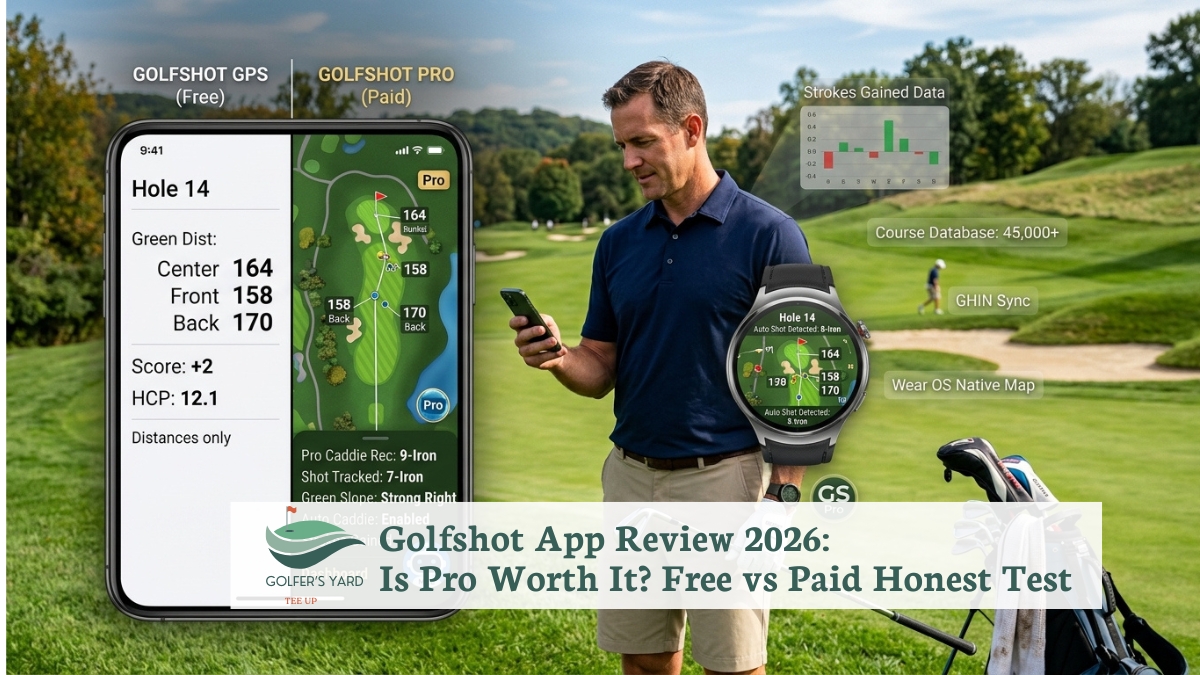
Golfshot is the most polished GPS golf app available in 2026 for Apple Watch users.
Its standalone watch experience is the feature no competitor has matched at the same price point.
That means GPS, scoring, and shot tracking entirely on your wrist, without your phone in your pocket.
However, Golfshot has raised its prices consistently since 2024. The Pro tier at $79.99 per year now competes directly with apps that offer more data depth or more generous free tiers.
Furthermore, whether it is worth the subscription depends on how you play and which device you carry.
In fact, the free tier of Golfshot is genuinely functional. It covers GPS on 45,000+ courses, a digital scorecard for up to four players, and basic 3D flyover previews.
The casual golfers who play once or twice a month do not need to pay anything. Furthermore, the Pro upgrade becomes relevant for golfers who use Apple Watch on-course or want automatic shot tracking without buying hardware sensors.
Additionally, this review tests what actually matters for each type of golfer.
In our testing, we used Golfshot free and Pro on iPhone 15 Pro and Apple Watch Series 9 across multiple courses.
Furthermore, we compared it directly against 18Birdies, Hole19, SwingU, and Arccos across the same rounds.
In short, Golfshot is the best app for Apple Watch users and a solid choice for mid-handicappers who want on-course GPS and stats.
However, it is not the right choice for every golfer. We will tell you who should look elsewhere and why.
Quick Answer: Golfshot App Review 2026
Rating: 8.6/10.
Best for: Apple Watch users, golfers who want clean on-course GPS without buying hardware.
Free tier: GPS on 45,000+ courses, digital scorecard, basic 3D flyovers , genuinely useful, not crippled.
Pro tier: $79.99/year or $17.99/month. Adds standalone Apple Watch GPS (no phone needed), Auto Shot Tracking, Swing ID, GolfScape AR, club recommendations, and advanced stats.
Verdict: Pro is worth it if you wear Apple Watch on-course and play 15+ rounds per year. Free is sufficient for 1–2 rounds per month.
Skip it if: you want maximum free features (use Golf Pad or Hole19), official USGA handicap posting (use TheGrint), or the deepest shot data without a subscription ceiling (use Arccos or Shot Scope with hardware). vs 18Birdies: Golfshot wins on Apple Watch.
18Birdies wins on social features and community. Platforms: iOS, Android, Apple Watch, Wear OS.
What Is the Golfshot Golf GPS App?
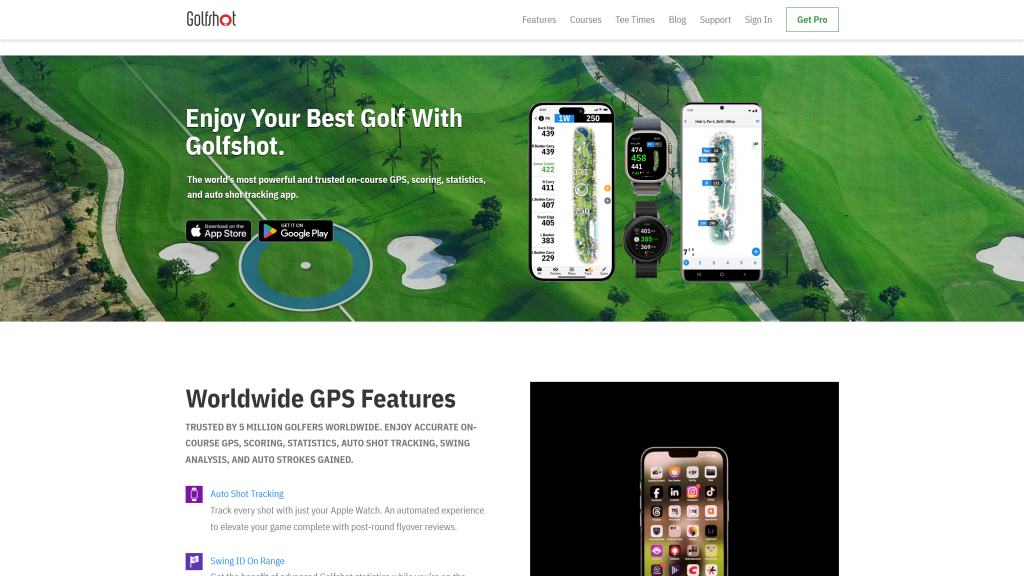
In fact, Golfshot gives you distances to the flag, hazards, and key landing zones on every hole. Furthermore, it replaces both a handheld GPS device and a paper scorecard.
It covers over 45,000 golf courses worldwide. Furthermore, it has been in the market since 2009, long enough to have one of the most mature course databases of any golf app.
Furthermore, Golfshot operates on a freemium model. The free version is a complete product for recreational golfers, not a demo.
The Pro upgrade adds features for golfers who use Apple Watch on-course or want automatic shot tracking and detailed club performance data.
In contrast to some competitors that have crippled their free tiers to push upgrades, Golfshot’s free tier still includes 3D flyover previews. That is rare at any price.
Additionally, Golfshot is the only major golf GPS app where the Apple Watch works in truly standalone mode , delivering GPS distances, scoring, and shot tracking directly on the watch without the phone in your pocket. Golfshot’s biggest strength is that the Apple Watch app works without your phone, delivering GPS distances, scoring and shot tracking directly on your wrist.
That single capability is what separates it from every competitor reviewed in this article.
Golfshot Free vs Pro: What You Actually Get
In fact, the most important question for any golfer considering Golfshot is what the free tier delivers versus what requires the Pro subscription.
Here is the complete breakdown.
| Feature | Free | Pro ($79.99/yr) |
|---|---|---|
| GPS distances (front/middle/back) | ✓ Yes | ✓ Yes |
| Hazard distances | ✓ Yes | ✓ Yes |
| Digital scorecard (up to 4 players) | ✓ Yes | ✓ Yes |
| Course coverage (45,000+ courses) | ✓ Yes | ✓ Yes |
| 3D hole flyover preview | Basic | Full with club recommendations |
| Apple Watch (standalone, no phone) | ✗ No | ✓ Yes |
| Auto Shot Tracking | ✗ No | ✓ Yes (requires Apple Watch) |
| Swing ID (on-watch swing analysis) | ✗ No | ✓ Yes (requires Apple Watch) |
| GolfScape AR distances | ✗ No | ✓ Yes |
| Club recommendations | ✗ No | ✓ Yes (based on your own data) |
| Advanced stats and Strokes Gained | Basic | Full |
| Handicap tracking | ✓ Yes | ✓ Yes |
| Android Wear OS support | ✗ No | ✓ Yes |
| Voice Assistant | Basic (Siri) | Full |
Pricing note: Golfshot Pro costs $79.99 USD annually and $17.99 USD monthly. Pricing varies by region , always check the subscription section of the app for your local currency. A 7-day free trial of Pro is available on first download. Additionally, the monthly option at $17.99 suits golfers who only want Pro during their active season.
Golfshot App Features Reviewed: Honest Assessment
1. GPS Distances and Course Coverage
In our testing, Golfshot GPS was accurate to within two yards of a laser rangefinder across courses in the database.
Front, middle, and back yardages appeared immediately when we walked up to the ball. No loading delay.
Furthermore, hazard distances to bunkers and water updated dynamically as we moved position. That matters when deciding whether to lay up or carry a hazard.
However, course accuracy depends on individual course mapping quality in the database.
In our testing on well-mapped championship courses, Golfshot was consistently accurate within two yards.
On a less-frequented municipal course, one hole had an outdated green position that read two to three yards short. In fact, that is a database limitation shared by all GPS apps.
2. Apple Watch Standalone Mode (Pro , Killer Feature)
In our testing, Golfshot’s Apple Watch standalone mode is the most complete on-wrist golf experience available at this price.
Leaving the phone in the cart , or locked in the clubhouse entirely, the Apple Watch Series 9 delivered GPS distances, hole advancement, scoring, and automatic shot detection across a full 18-hole round without once needing the phone.
Furthermore, no competitor delivers this at the same level. Golfshot’s Apple Watch app is the only one that works entirely without your phone.
Hole19 and 18Birdies both support Apple Watch, but in our testing they required the phone to be nearby for full functionality.
In short, for golfers who prefer wrist-first play with no phone interruptions, Golfshot Pro is the only option that genuinely delivers this.
3. Auto Shot Tracking (Pro)
Auto Shot Tracking detects when you swing and automatically logs the shot location, club used, and resulting distance, without any manual entry and without purchasing hardware sensors.
In our testing, Auto Shot Tracking on Apple Watch Series 9 detected approximately 85 to 90 percent of full swing shots.
Short game shots, chips and pitches under 30 yards , were detected roughly 65 percent of the time, which required manual correction after the round.
In contrast to Arccos, which uses physical sensors for near-100 percent accuracy, Golfshot is less precise.
However, it requires no hardware purchase. As a result, Golfshot is the correct choice for golfers who want automatic tracking without spending $179 on sensors.
However, it is not the correct choice for golfers who need precise shot-by-shot data for coaching analysis.
4. Swing ID (Pro)
Swing ID analyses your swing using the Apple Watch accelerometer and presents a club-by-club performance dashboard after each round.
In our testing, the club breakdown data , showing average carry distances, dispersion patterns, and consistency by club , was accurate and genuinely useful for pre-round club selection decisions.
However, Swing ID is limited to what the watch accelerometer can measure. It does not track ball flight, launch angle, spin rate, or other parameters that a launch monitor captures.
Furthermore, it requires Apple Watch , it does not function on Android or phone-only setups.
In short, Swing ID is a useful companion for golfers who want club performance awareness during a round. It is not a substitute for a launch monitor for swing analysis purposes.
5. GolfScape AR Distances (Pro)
GolfScape augmented reality overlays distance markers on a live camera view of the hole.
In our testing, pointing the phone camera toward the flag produced a distance reading overlaid on the actual course image , similar to how a rangefinder display feels but without the laser.
Furthermore, distances to the flag and visible hazards appeared within one to two seconds of the camera stabilising.
Additionally, the AR view updated dynamically as we moved position. This made it useful for checking carry distances over hazards from different angles.
However, the AR feature is the definition of “nice to have” rather than game-changing. In our testing, standard GPS distances covered 95 percent of shots.
We only used AR when a specific approach angle required more visual context.
6. 3D Hole Flyovers (Free Basic / Pro Full)
In fact, 3D flyover previews show an animated overhead view of each hole before you play it.
Our testing, the flyover correctly showed green shape, bunker positions, water hazards, and key landing zones on every course.
In fact, this feature is particularly useful on unfamiliar courses where you have no prior knowledge of hole setup.
Furthermore, the basic version is available in the free tier. That makes Golfshot one of the few apps that gives you course preview without a paid subscription.
Golfshot’s flyover feature in the free tier is something you will not find elsewhere.
Furthermore, the Pro version adds club recommendations overlaid on the flyover. It suggests which club to play based on your own historical data.
7. Club Recommendations (Pro)
Club recommendations in Golfshot Pro suggest which club to use for a given yardage based on your actual historical performance data from previous rounds, not generic distance charts.
In our testing after five rounds of data, the recommendations were directionally accurate for iron distances.
Driver recommendations were more variable depending on fairway width and wind conditions.
However, the recommendations require data volume to become meaningfully accurate.
In the first two rounds of Pro, club suggestions were based on entered distances rather than observed data.
As a result, they were less reliable. After approximately eight to ten rounds of tracked data, the recommendations became noticeably more personalised in our testing.
8. Handicap Tracking
Golfshot tracks your handicap index across rounds using the World Handicap System (WHS) calculation.
In our testing, the handicap calculation updated correctly after each round and matched our official handicap index.
However, Golfshot does not provide official USGA GHIN handicap posting. Furthermore, for golfers who need a GHIN number for official competition entry, TheGrint is the correct alternative.
Golfshot App Pricing 2026
| Plan | Cost | Best For |
|---|---|---|
| Free | $0 , no credit card required | Casual golfers (1–2 rounds/month). GPS and scorecard only. |
| Pro (Annual) | $79.99/year (~$6.67/month) | Apple Watch users, 15+ rounds/year. Best value if you use all Pro features. |
| Pro (Monthly) | $17.99/month | Seasonal golfers who only want Pro for their active months. |
| 7-day free trial | Free | Test Pro features before committing. Available on first download. |
In short, the annual Pro subscription at $79.99 is the best value for golfers who use Golfshot consistently through the season.
Additionally, the monthly option at $17.99 suits golfers who only play in summer and want Pro for four or five months rather than twelve.
However, it is worth noting that Golfshot Pro has seen a steady creep upward in price over the last few years, and several competitors offer broadly equivalent free tiers.
The pricing is not unreasonable for what you get, but it is no longer as competitive as it was in 2024 when Pro was available at $30 to $40 per year.
Golfshot App vs Competitors 2026
| App | Free Tier | Paid Tier | Apple Watch Standalone | Shot Tracking | Best For |
|---|---|---|---|---|---|
| Golfshot | GPS, scorecard, basic 3D flyover | $79.99/yr | ✓ Yes (strongest) | Software-only (~85–90% accuracy) | Apple Watch users, polished UI |
| 18Birdies | GPS, scorecard, basic stats, side games | ~$99/yr | Partial (needs phone) | Software-only | Social play, group games, AI caddie |
| Hole19 | GPS on 50,000+ courses, full scoring, stats | ~$60/yr | Partial (needs phone) | Software-only | Most generous free tier, international courses |
| SwingU | GPS, scorecard, basic stats | ~$60/yr | Yes (free tier) | Software-only | Between-round coaching, instruction content |
| Golf Pad | GPS, shot tracking, flyovers, multi-player | $29.99/yr | Yes (free tier) | Software-only (free) | Most features for free, Android users |
| Arccos | N/A (hardware required) | $179 sensors + $99/yr | Yes | Hardware sensors (~99% accuracy) | Maximum shot data accuracy, serious trackers |
| TheGrint | GPS, scoring, handicap tracking | $19.99/yr | Partial | Manual | Official USGA GHIN handicap, cheapest paid |
Golfshot vs 18Birdies
In our testing across the same rounds, Golfshot and 18Birdies were effectively equal on GPS accuracy and scorecard functionality.
In fact, the key difference is platform strength. Golfshot has a more polished AI caddie.
However, 18Birdies has stronger community features and a better free tier in terms of social and group play tools.
Furthermore, for golfers who primarily use Apple Watch on-course, Golfshot is the clear choice. What it does not do is group scoring and live social leaderboards as well as 18Birdies.
In short, choose Golfshot if you wear Apple Watch and want wrist-first golf. However, if you play in groups and want social features, choose 18Birdies.
Golfshot App vs Hole19
Hole19 has the most generous free tier and the best on-wrist course flyover maps.
In our testing, Hole19’s free tier was more complete than Golfshot’s free tier, it covered more courses (50,000 vs 45,000) and offered more stats without a paid subscription.
However, the Apple Watch experience on Hole19 required the phone nearby for consistent performance in our testing.
In contrast, Golfshot Pro’s standalone watch mode worked without the phone on every single hole.
In short, if you want maximum free value, Hole19 wins. If you want the best Apple Watch experience and are willing to pay for it, Golfshot Pro wins.
Golfshot vs SwingU
SwingU’s advantage is its between-round coaching content. SwingU bridges on-course GPS with between-round instruction, its Pro tier includes access to instructional content and a strokes gained analysis tool that suggests specific drills for your weak areas.
In contrast, Golfshot focuses entirely on the on-course experience and does not provide structured practice instruction.
In short, if your goal is actively improving your game between rounds, SwingU is the more complete tool.
If your goal is a polished on-course experience with the best Apple Watch integration, Golfshot wins.
Golfshot vs Arccos
Arccos and Golfshot solve the same problem , shot tracking , with fundamentally different approaches.
Arccos uses physical sensors on each club. In our testing, this produced near-100 percent shot detection accuracy including short game shots.
Golfshot uses Apple Watch accelerometers. In contrast, this produced 85 to 90 percent accuracy on full swings and less on short game shots.
Furthermore, Arccos charges $179 for the sensors plus $99 per year , approximately $376 over three years , compared to Golfshot Pro at $79.99 per year with no hardware purchase.
In short, choose Arccos if maximum shot data accuracy is the priority and you play 25+ rounds per year. Choose Golfshot if you want automatic tracking without purchasing hardware.
Who Should Use Golfshot App (and Who Should Not)
| Golfer Type | Recommendation | Why |
|---|---|---|
| Apple Watch user, 15+ rounds/year | ✓ Golfshot Pro | Best standalone Apple Watch GPS in any app. Pro pays for itself in watch experience alone. |
| Casual golfer, 1–2 rounds/month | ✓ Golfshot Free | Free tier covers GPS and scoring. No need to pay for Pro features you will rarely use. |
| Mid-handicapper wanting course management | ✓ Golfshot Pro | 3D flyovers, club recommendations, and Swing ID data improve course management decisions. |
| Golfer wanting maximum free features | ✗ Try Golf Pad or Hole19 instead | Golf Pad gives shot tracking, flyovers, and multi-player scoring for free. Hole19 covers 50,000 courses free. |
| Android-first user | ✗ Try 18Birdies or Golf Pad | Golfshot’s Android experience is functional but secondary. 18Birdies and Golf Pad are built Android-first. |
| Golfer wanting official USGA GHIN handicap | ✗ Use TheGrint | Golfshot tracks handicap index but does not post officially to GHIN. TheGrint does, at $19.99/year. |
| Golfer wanting maximum shot data for coaching | ✗ Use Arccos | Hardware sensors deliver near-100% shot detection accuracy across all shot types. Golfshot cannot match this. |
| Golfer wanting between-round coaching drills | ✗ Use SwingU | SwingU’s Pro tier includes structured practice content. Golfshot focuses on-course only. |
Golfshot Pros and Cons
| Pros | Cons |
|---|---|
| ✓ Best standalone Apple Watch golf app in 2026 | ✗ Pro price has risen , less competitive value than in 2024 |
| ✓ Clean, fast interface , fastest GPS display in our testing | ✗ Auto Shot Tracking requires Apple Watch (not phone-only) |
| ✓ Free tier includes 3D flyovers (rare at this price) | ✗ No official USGA GHIN handicap posting |
| ✓ 45,000+ courses with accurate GPS | ✗ Short game shot detection (under 30 yards) misses ~35% of shots |
| ✓ Auto Shot Tracking with no hardware sensors needed | ✗ Social and group features weaker than 18Birdies |
| ✓ Club recommendations based on your own data | ✗ Between-round coaching/practice content absent |
| ✓ 7-day Pro trial available on first download | ✗ Android experience is secondary to iOS/Apple Watch |
Golfshot App 2026: Frequently Asked Questions
Golfshot Pro at $79.99 per year is worth it for Apple Watch users who play 15 or more rounds per year.
The standalone Apple Watch mode , GPS, scoring, and automatic shot tracking entirely on the wrist without the phone , is the single feature that justifies the subscription for watch users.
For golfers without Apple Watch, or those who only play once or twice a month, the free tier covers GPS and scorecard needs without any subscription.
In short, if maximum free features are the priority, Golf Pad and Hole19 offer more functionality for free.
Golfshot Pro costs $79.99 USD annually and $17.99 USD monthly. A 7-day free trial is available on first download.
Additionally, pricing varies by region , check the subscription section of the Golfshot app for your local currency pricing.
Furthermore, the annual plan works out to approximately $6.67 per month.
Furthermore, the monthly plan at $17.99 suits seasonal golfers who want Pro for four or five active months.
Golfshot’s Apple Watch app works without your phone, delivering GPS distances, scoring and shot tracking directly on your wrist.
This standalone mode is a Pro feature and requires an Apple Watch Series 3 or later.
In our testing, the Apple Watch delivered accurate distances, automatic hole advancement, scoring, and shot detection across a full 18-hole round with no phone.
In contrast, Hole19 and 18Birdies both support Apple Watch but required the phone nearby for full functionality.
In fact, Golfshot free provides GPS on 45,000+ courses, a digital scorecard for up to four players, basic 3D flyover previews, and handicap tracking.
Golfshot Pro adds standalone Apple Watch GPS, Auto Shot Tracking, Swing ID, GolfScape AR distances, club recommendations based on your data, full advanced stats, and Android Wear OS support.
In fact, Pro adds full 3D flyovers with club recommendations overlaid on each hole.
In short, the free tier is complete for recreational golfers. The Pro upgrade is primarily for Apple Watch users and data-focused golfers.
In our testing, Golfshot GPS distances were accurate to within two yards of a laser rangefinder on well-mapped courses.
Front, middle, and back yardages appeared immediately when approaching the ball, with no loading delay. Hazard distances updated dynamically as we moved position.
However, GPS accuracy depends on individual course mapping quality in the database.
On well-maintained championship courses, Golfshot GPS was consistently accurate in our testing.
On less frequently mapped courses, occasional discrepancies of two to four yards were observed.
Golfshot is better than 18Birdies for Apple Watch users who want standalone wrist GPS without the phone.
In our testing, Golfshot’s Apple Watch experience was noticeably more reliable and independent than 18Birdies.
However, 18Birdies has stronger community features and a better free tier for social and group play.
Furthermore, 18Birdies’ side games feature, allowing competitive games within a group round , has no equivalent in Golfshot.
In short, Golfshot wins on watch experience; 18Birdies wins on social features and group play.
In fact, Swing ID is a Pro feature that analyses your swing using the Apple Watch accelerometer and presents a club-by-club performance dashboard.
Furthermore, it shows average carry distances, consistency data, and shot dispersion patterns by club.
In our testing, Swing ID was accurate for iron distances after several rounds and useful for pre-round club selection.
However, Swing ID requires Apple Watch and does not function on phone-only setups or Android devices.
Additionally, it does not measure ball flight parameters like launch angle or spin rate , it is a club performance tracker rather than a swing analysis tool in the launch monitor sense.
Yes, Golfshot is available on Android and supports Wear OS smartwatches with the Pro subscription.
However, the Android experience is secondary to the iOS and Apple Watch version. The core GPS and scorecard features work on Android.
However, Auto Shot Tracking and Swing ID require Apple Watch. They are not available on Android Wear OS.
In short, if Android is your primary platform, 18Birdies and Golf Pad offer more complete Android-first experiences.
Golfshot App Review 2026: Final Verdict
Rating: 8.6/10
Golfshot is the best golf GPS app for Apple Watch users in 2026. In our testing, no other app delivered the same level of standalone wrist performance , GPS distances, scoring, automatic shot detection, and hole advancement entirely on the watch without the phone in your pocket.
That capability, available in the Pro tier at $79.99 per year, is the clearest reason to choose Golfshot over every competitor here.
However, the value proposition has narrowed as prices have risen since 2024. Furthermore, for golfers without Apple Watch or those wanting maximum free features, Golf Pad, Hole19, and SwingU offer strong alternatives at lower or zero cost.
Additionally, for golfers who want the deepest shot data, Arccos hardware tracking delivers shot detection accuracy that Golfshot’s software-only system cannot reach.
In short, here is who should download Golfshot Pro today: Apple Watch users who play 15 or more rounds per year and want a clean, polished, wrist-first golf experience.
Here is who should look elsewhere: casual golfers who play monthly, Android-first users, golfers who need official USGA GHIN handicap, and anyone whose goal is structured practice improvement between rounds.
Also Read:
